
I first wrote about AI comment generators back in 2024. A lot has changed since then. There are more tools, the prices have moved, and a few of the names I'd have mentioned back then have quietly dropped features or changed direction entirely. So I've rewritten this post from scratch.
Here's the short version. If you want one tool that writes replies on almost any social site, in any language, and lets you check every word before it goes out, I'd pick Engagi. Yes, we make it at Teknikforce, so take my bias into account. I've still tried to be fair about where the other eight tools do a better job.
Every price below comes from the vendor's own pricing page or store listing, checked in early November 2026. Prices change, so treat them as a starting point and look at the vendor's page before you pay.
Why bother with an AI comment generator at all
Commenting works. Anyone who's grown a small account knows this. You reply to people in your niche, they notice you, some of them click through to your profile, and slowly your own posts start getting seen.
The problem is the time. Reading a post properly, thinking of something useful to say and writing it well takes a few minutes. Do that thirty times a day and your morning is gone. Most people give up after a couple of weeks.
A decent AI comment generator cuts that down. It reads the post, drafts a reply, and you edit it. The bad ones write the same bland "Great insights, thanks for sharing!" line over and over, which is worse than not commenting at all. So the real question isn't whether to use one. It's which one writes replies you'd actually be happy to sign your name to.

What I looked for
I kept the criteria simple.
- Does it read the actual post? A reply has to respond to what the person said, not just the topic.
- Can you control the tone? Agreeing, asking a question and pushing back are different jobs.
- Which platforms does it work on? Some tools are LinkedIn only. Some are X only. A few work anywhere.
- Do you stay in charge? I don't like tools that post on your behalf without you seeing the reply first.
- What does it cost? Monthly price, free plan, and what you actually get for the money.
The comparison table
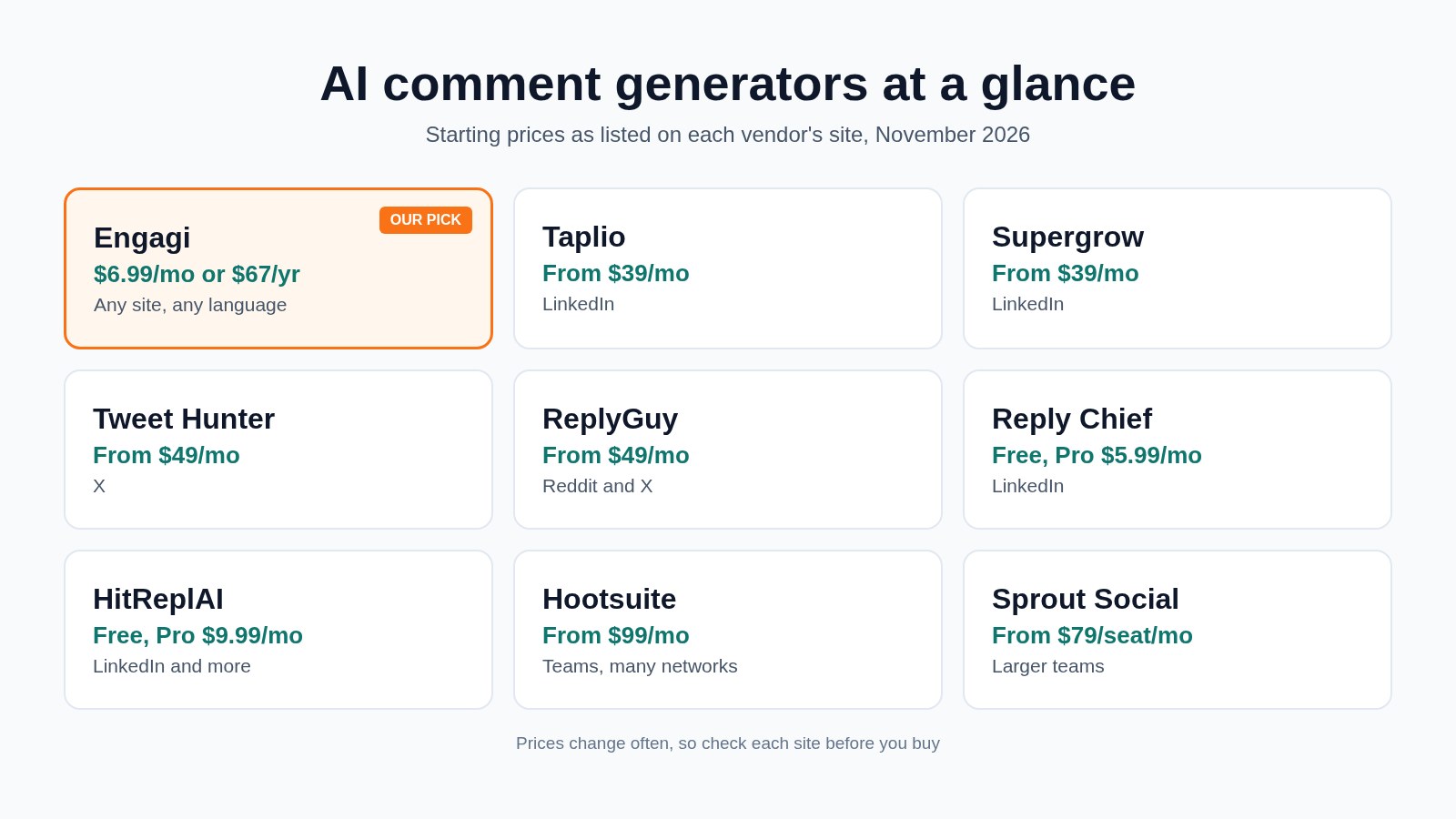
| Tool | Starting price | Best for | Free plan | Platforms |
|---|---|---|---|---|
| Engagi | $6.99/month or $67/year | Small businesses replying across every network | No, but 30 day refund | Facebook, X, LinkedIn, Threads, Reddit, Quora, Instagram, YouTube and more |
| Taplio | $39/month (Starter) | LinkedIn creators who also schedule posts | 7 day trial | |
| Supergrow | $39/month (Pro) | LinkedIn personal branding | 7 day trial | |
| Tweet Hunter | $49/month | X growth and scheduling | 7 day trial | X |
| ReplyGuy | $49/month (Pro) | Finding Reddit and X threads about your product | 3 day trial | Reddit, X and others |
| Reply Chief | Free, Pro $5.99/month | Cheap LinkedIn comments | Yes, 10 a day | |
| HitReplAI | Free, Pro $9.99/month | Polishing your own rough draft | Yes, 5 a day | LinkedIn, X, Reddit, Hacker News, GitHub |
| Hootsuite | $99/month (Standard) | Teams managing many brand accounts | 14 day trial | Most major networks |
| Sprout Social | $79/seat/month (Essentials) | Larger teams with a shared inbox | 30 day trial | Most major networks |
1. Engagi
Engagi is a Chrome extension. It sits in your browser and pops up when you want to reply to something. You click, it reads the post, and it drafts a reply from your point of view. Because it works inside the browser, it isn't tied to one network. It's designed for Facebook, X, LinkedIn and Threads, and it also works on Reddit, Quora, Instagram, YouTube and other sites.
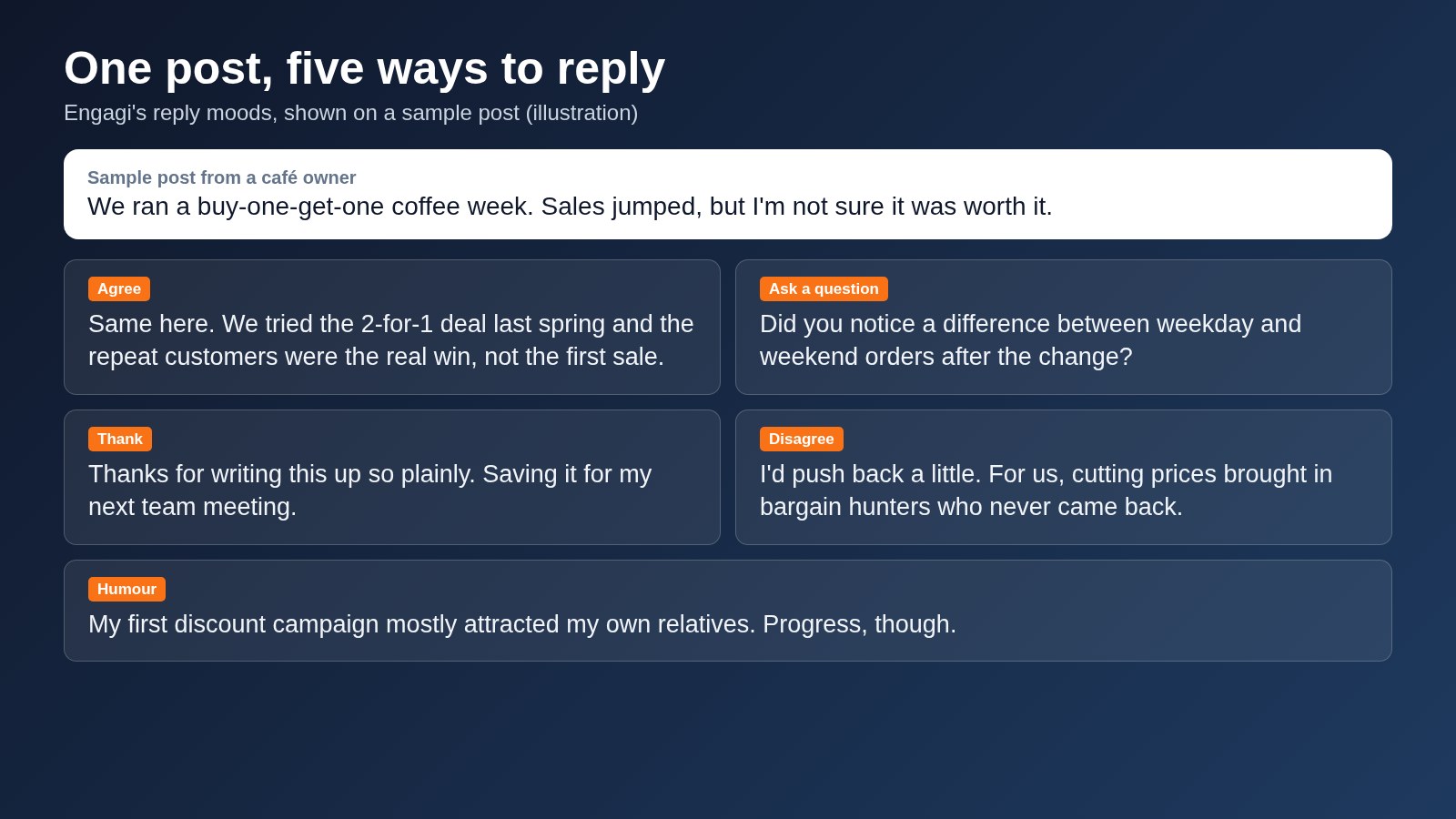
The part I like most is the moods. You don't just get "a reply". You pick Agree, Disagree, Thank, Ask a Question, Humour or even Sarcasm, and the draft changes to match. That matters more than it sounds. A thoughtful disagreement often starts a better conversation than another round of applause.
A few other things it does well.
- It detects the language of the post and replies in the same language. You can switch it if you want.
- You can choose which AI model writes the reply, and new models get added as they come out.
- You can save promotional messages, and Engagi will work a mention of your product into a reply when it fits. Use this sparingly. One mention in ten replies feels natural. Every reply feels like spam.
- It works on Facebook profiles, pages and groups.
On price, Engagi is $6.99 a month or $67 a year. That makes it one of the cheapest paid tools on this list, a little more than Reply Chief and less than HitReplAI, and it isn't limited to LinkedIn. You also get 24/6 chat support. There's no free plan, but there is a 30 day money back guarantee.
What it isn't is a scheduler or an analytics suite. If you want calendars and reports, you'll pair it with something else. If you want better replies everywhere you already spend time, this is the one I'd start with.
2. Taplio
Taplio is a full LinkedIn growth tool. Post writing, scheduling, analytics, lead lists and a comment assistant all live in one app. The AI comment features ("Reply and comment 10x faster") start on the Growth plan at $69 a month. Starter is $39 a month but is mostly scheduling and analytics. Pro is $199 a month with unlimited AI comments. Annual billing brings those down to $32, $49 and $149.
It's a strong pick if LinkedIn is your main channel and you want everything in one place. It doesn't help you anywhere else.
3. Supergrow
Supergrow is another LinkedIn tool, focused on writing posts in your own voice. Its Pro plan is $39 a month, or $31 a month billed yearly, and includes an "Engage" feature for commenting alongside scheduling, carousels and analytics. Teams is $199 a month for 5 accounts. Every plan has a 7 day free trial.
I'd choose it over Taplio if post writing matters more to you than lead outreach.
4. Tweet Hunter
Tweet Hunter is built for X. It has a huge library of viral tweets for inspiration, scheduling, auto DMs and a small CRM for tracking conversations. Plans start at $49 a month, but by Tweet Hunter's own FAQ the AI writing features sit on the higher plan at $99 a month, with discounts depending on follower count. There's a 7 day trial and a 30 day refund.
Great if X is your whole world. Pricey if you only want help with replies.

5. ReplyGuy
ReplyGuy takes a different approach. You give it keywords, it finds posts where people are asking about the kind of thing you sell, and it can post replies for you, with a screenshot as proof. Pro is $49 a month for 5 keywords and 100 credits. Business is $99 and the top plan is $199. Yearly plans start at $249. There's a 3 day trial.
It's clever for finding Reddit threads you'd never spot yourself. I'm less keen on the auto replies. Reddit communities are quick to call out anything that smells automated, so I'd read every reply before it goes live.
6. Reply Chief
Reply Chief is a small Chrome extension for LinkedIn. It adds a "Magic Reply" button to comment boxes and gives you 12 tones. The free plan gives 10 comments a day with 5 tones. Pro is $5.99 a month or $59 a year for unlimited comments, and there's a $149 lifetime deal.
If you only comment on LinkedIn and want to spend as little as possible, it's hard to argue with.
7. HitReplAI
HitReplAI works the other way round. You type a rough reply yourself, hit Enhance, and it rewrites it in four tones. The Pro plan can learn your writing style from a few of your old posts. It's built for LinkedIn but also works on X, Reddit, Hacker News and GitHub. You get 5 comments a day free. Pro is $9.99 a month or $69 a year.
I like the idea a lot, since the thought stays yours. It's slower than generating from scratch though.
8. Hootsuite
Hootsuite is a social media management platform, not a comment tool as such. Its AI assistant drafts posts, and the Professional plan adds AI smart replies in the inbox. Paid plans start at $99 a month for Standard, $199 for Professional and $399 for Advanced, per Hootsuite's own FAQ, with a 14 day trial.
It makes sense for a team handling customer replies across many brand accounts. For one person who wants to comment on other people's posts, it's overkill.
9. Sprout Social
Sprout Social is in the same camp as Hootsuite. Its Trellis AI agent drafts replies, and AI Assist can enhance replies on the Advanced plan. Pricing is per seat, billed annually. Essentials is $79, Standard $199, Professional $299 and Advanced $399 a month. There's a 30 day free trial.
Excellent for a social team with a shared inbox. Too much for a solo business owner.

How I actually reply to posts with Engagi
Here's what a typical session looks like for me. I open LinkedIn or X in Chrome, scroll until I find a post worth answering, and click the Engagi button under it.
Say a café owner has posted that they ran a buy-one-get-one coffee week and aren't sure it paid off. I'll pick the Ask a Question mood first, because questions keep a thread going. Engagi drafts something like "Did you notice a difference between weekday and weekend orders after the change?" That's fine, but I'll usually add a detail of my own, something only I could say, so the reply doesn't read like a template.
Then I read it once more out loud in my head. Does it sound like me? Would I say this to the person over a coffee? If yes, I post it. If it's too polished, I chop a sentence.
On Reddit I'm stricter. I skip the promotion feature entirely, keep replies short, and only answer threads where I actually know something. In Facebook groups that aren't in English, I let Engagi pick up the language on its own and reply in it.
The whole thing takes maybe a minute per reply instead of four or five. The editing is the part I'd never skip. The AI gets you a good first draft. You make it yours.
A few tips that apply to any tool
- Edit every reply. Change at least one phrase. It keeps your voice and stops you sounding like everyone else using the same tool.
- Mix your moods. If all your comments agree, you look like a fan, not a peer.
- Go easy on promotion. Mention your product only when it genuinely answers the question.
- Pick your battles. Ten good replies beat fifty quick ones.
- Read the room on Reddit. Each subreddit has its own rules. Check them before you post.
A few common questions
Is it safe to use an AI comment generator?
It depends on how the tool works. Browser extensions like Engagi act through your normal browser, so the platform sees you posting like you always do. The bigger risk is behaviour. Posting dozens of near-identical replies will get you flagged on any platform, whatever tool you use.
Will people know my comments are AI written?
They might, if you post the draft as it is. That's why I edit every one. A specific detail from your own experience is the quickest way to make a reply sound human, because it is.
Which tool is best for LinkedIn only?
If you only care about LinkedIn and want scheduling too, Taplio or Supergrow. If you just want cheap comments, Reply Chief. If you're also on Facebook, X or Reddit, Engagi covers all of them with one extension.
Does Engagi work on a Mac?
Yes. It runs in Google Chrome on Mac, and Engagi's site says it also works in Edge and other supported browsers.
Is there a free AI comment generator?
Reply Chief and HitReplAI both have free daily allowances. Engagi doesn't have a free plan, but it costs $6.99 a month and comes with a 30 day refund, so you can try it properly and ask for your money back if it isn't for you.
My pick
If you want one tool for replying everywhere you spend time online, in your own language, with the tone you choose, go with Engagi. It's $6.99 a month, about the price of two coffees, it works on just about every social site, and it leaves you in charge of every word.
Try Engagi today at getengagi.xyz and see how much faster your replies get. You've got 30 days to decide if it's worth keeping.